About
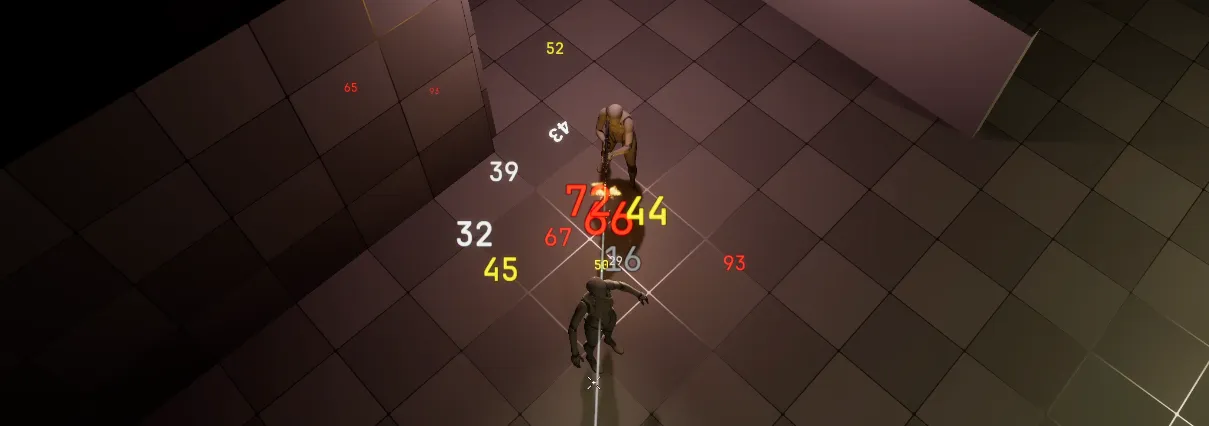
A scene component for Unreal Engine that can render floating text, packaged as a re-usable plugin.
It is designed for gameplay feedback such as damage numbers, healing values, or any short-lived text you want to appear in the world. The goal is to make that feedback easy to trigger, visually clean, and reusable across different projects or gameplay systems.
How it works
The component takes a value, turns it into a text string, and measures how much space that string needs. It then creates a temporary render target and draws the text into it using a font.
After that, the rendered text image is passed into a material instance, which prepares it for display. A Niagara system is then spawned at the component’s location and given the material, text color, and size data it needs.
How to use
- Add the plugin to your Unreal project - instructions can be found in the repository.
- Attach the floating text component to an actor or another scene object.
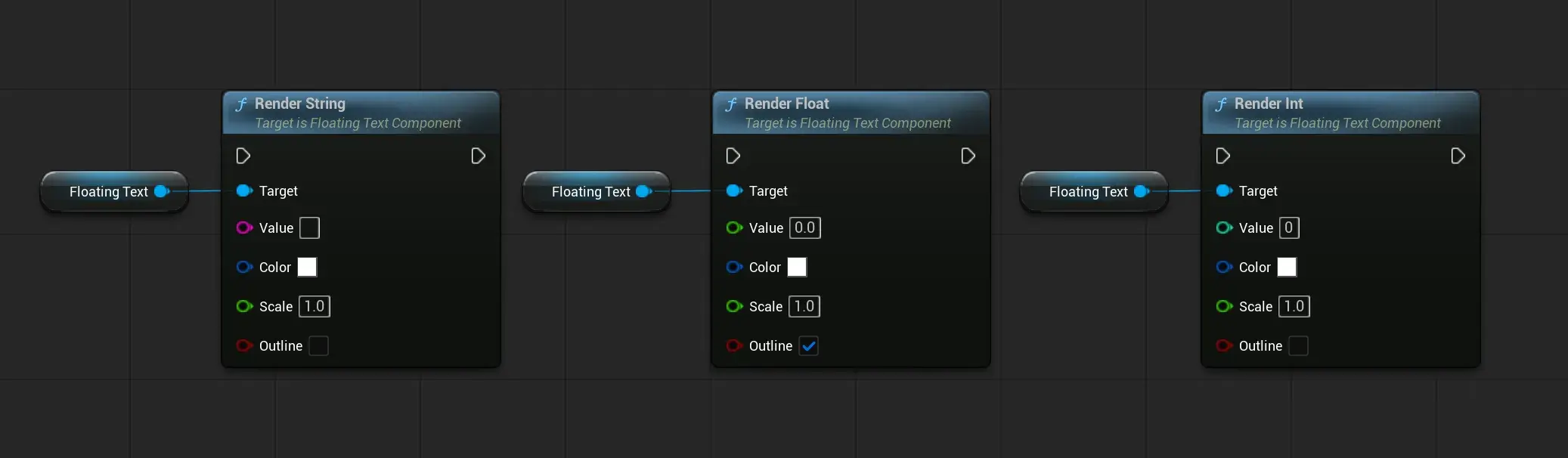
- Call the appropriate function, depending on your needs, to render the floating text, the functions are:
- RenderString
- RenderFloat
- RenderInt
- Each function provides parameters to customize the look of the text, you can control the text's color, scale, and whether there's an outline.
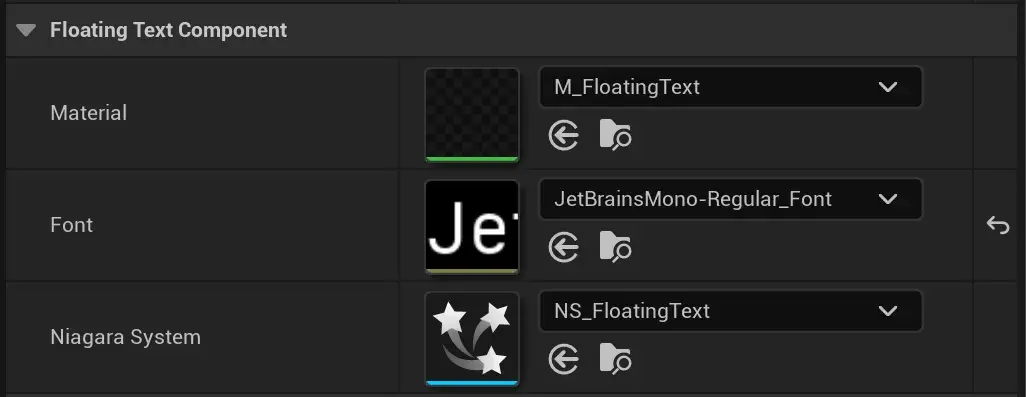
The component comes with some default values that can be changed to further edit the look:
- Font: The font that will be used to render a given string, the font has a "Legacy Font Size" property, which is used to drive the rendered font size. The plugin comes with 3 different font sizes for the default engine Roboto Font.
- NiagaraSystem: The Niagara system that will be spawned into the world to display the rendered text. There are 2 provided with the plugin, one with some movement variation, and a static one.
- Material: The material the Niagara system will use for sprite rendering, it will receive params from the Niagara system and will use them to apply text color, opacity, etc.
Showcase
Future Improvements
This project covered my needs for the game prototype I'm using it in, so I'm happy with the result, however, if I were to visit it again, I'd like to improve the following:
- Better font size control: The current system depends on the Font's "Legacy Font Size" property to drive the font size, I'd like that to be param to the render functions, so the user has more control over the end result, with fewer setup steps required in the editor.
- Performance: I haven't done much profiling on this yet, so getting an idea of how it performs with a lot of floating text on screen would be handy. Since each call to render a floating text creates a texture render target, which is disposed after, I don't expect this to scale well with a lot of instances, there's potential to improve this by e.g. pooling render targets.